
The job sheet app built for UK trades since 2012
Onsite Pro is a complete job sheet app for electricians, plumbers, HVAC engineers, builders and every trade in between. Quote, schedule, dispatch, sign-off and invoice from one place.
Start free 14-day trial →
No card needed. Same app our paying customers use.
What is a job sheet app?
A job sheet app replaces paper job sheets with a digital workflow on phones and tablets. Engineers log time, parts and notes against each job. Customers sign off on the device. Quotes turn into invoices in one tap. The office sees every update in real time on a live dashboard.
Onsite Pro is the job sheet app that runs the whole job from first call to paid invoice, on iOS, Android and web. Built in the UK by people who actually know trades.
Why use a job sheet app instead of paper?
UK trade businesses still running paper job sheets lose money in three places they rarely measure: re-keying time at the office, slow invoicing, and disputes where there is no signed proof. A digital job sheet app fixes all three on day one.
The numbers our customers tell us: one admin saves around 8 hours a week not chasing missing paperwork. Invoices land 4 to 7 days sooner. Disputes drop close to zero once every job is signed off, geo-stamped, on the engineer’s phone.
Just as important – engineers actually prefer the app. They get their jobs pushed to their phone, they upload photos as they go, and they head home with nothing to file or hand in.
Digital sign-off
Customer signs the job sheet on the engineer’s phone. Geo-stamped with time and location for an audit-proof record.
Photos & attachments
Site photos, plans, certificates, wiring diagrams – all attached to the job sheet for the lifetime of the customer.
Parts & time logged
Engineers log materials used and hours worked from the job sheet. Bills the customer automatically.
Works offline
Job sheet app works on the road, in a basement, anywhere. Syncs the second they hit signal.
Read-receipts
Know exactly when a customer opens a quote, job sheet or invoice. How many times. From which device.
Live dashboard
Every job, every engineer, every quote and invoice. One screen. Real-time.
How the Onsite Pro job sheet app actually works
- Quote. Build a quote in seconds from the web dashboard or the mobile app. Send it by email, or get the customer to e-sign it on your screen there and then.
- Schedule. Once accepted, the quote becomes a job. Drag it into an engineer’s diary, or assign it to the first available person matching the right skill.
- Engineer arrives. The job sheet appears on the engineer’s phone with customer details, site notes and a list of what to do. Engineer starts the clock with one tap.
- Work and capture. Engineer logs time, adds parts used, attaches photos and customer notes – all into one digital job sheet.
- Customer signs. Customer signs the completed job sheet on the engineer’s phone. Stored geo-stamped with date, time and exact location for audit.
- Invoice. One tap and the job sheet becomes a chargeable invoice with the right hours, parts and rates already filled in. Email it to the customer before the engineer leaves site.
Job sheet app vs paper job sheets
Onsite Pro job sheet app
- Issued in seconds from the office or the road
- Signed on the spot on a phone or tablet
- Photos, parts and time logged in one place
- Lands in the office the moment it is signed
- Geo-stamped and audit-trailed
- Becomes an invoice in one tap
Old paper job sheets
- Lost in vans, lost in pockets, water-damaged
- Re-keyed twice (engineer, then office)
- Photos taken on phones, never attached
- Delayed by days, sometimes weeks
- No proof if a customer disputes
- Invoice has to be raised separately
Built for sole traders, growing teams and established firms
Sole traders
Look as professional as the bigger lads. One admin licence, one engineer licence, branded quotes, signed-off job sheets and invoices that go out before you leave the customer’s drive.
Small teams (2 to 5 engineers)
The biggest jump. The boss stops chasing job sheets every Friday night. Engineers see their diaries on their phones. Customers get faster quotes, faster jobs and faster invoices.
Established firms (5 to 50 engineers)
Real-time GPS, skill-based scheduling, parts and stock management across multiple vans, reporting that actually tells you which engineers are profitable.
Job sheet vs work order vs timesheet – what’s the difference?
The terms get used interchangeably but they’re different documents. A job sheet is the on-site record of what happened – parts fitted, hours worked, photos taken, customer signature. A work order is the office-side instruction – customer details, address, what needs doing, who’s assigned. A timesheet is the engineer’s hours, often used for payroll.
Onsite Pro’s job sheet app rolls all three into one digital workflow. The work order becomes a job on the engineer’s phone, the engineer completes the job sheet on-site, the hours feed back as a timesheet for payroll, and the whole record converts to an invoice in one tap.
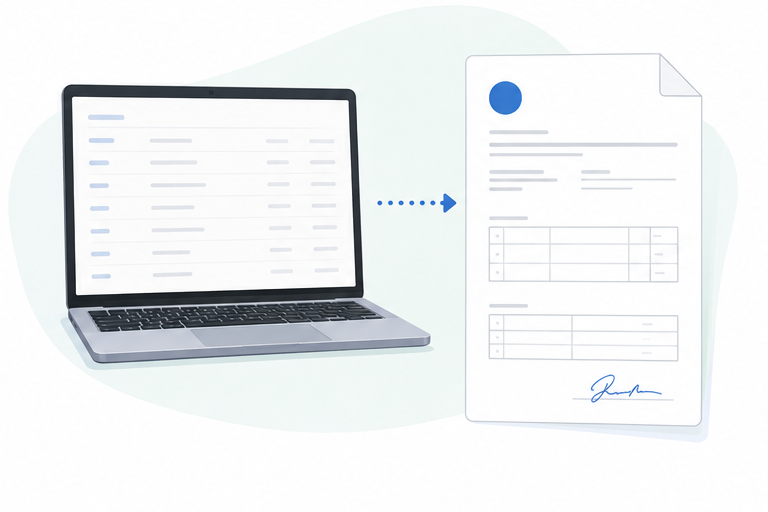
Switching from paper – what week one actually looks like
Monday. Two engineers download the Onsite Pro app from the App Store, sign in with the accounts you’ve created in the dashboard. You’ve added your customer list (or imported a CSV from your existing system the night before). You dispatch the day’s jobs from the dashboard and they appear on the engineers’ phones instantly.
Tuesday. First customer signature captured on the phone. The engineer who was sceptical on Monday now spots the time it saves on the return trip to drop a paper sheet at the office. The office sees the job complete the moment the customer signs and raises the invoice before lunch.
Wednesday-Thursday. Photos start appearing on every job – engineers realise it’s faster than describing the work in notes. The office stops phoning to ask “what did you actually do?”.
Friday. First weekly review. You can see who did what, where, how long it took, and whether you quoted accurately. You spot a job that ran four hours over budget and learn something about how you price that type of work. By Sunday, you’re not catching up on paperwork at the kitchen table.
Why we built a job sheet app in 2012
I’m John Bryan, the founder. I started Onsite Pro (originally iManage App) in 2012 after watching too many trade business owners burn evenings re-keying paper job sheets into accounting software just to get an invoice out. The maths didn’t add up – five engineers, an hour each per day chasing paperwork, that’s 25 hours a week of unbilled admin in a business with maybe 60 billable hours.
So I designed an app that puts the job sheet on the engineer’s phone, captures the customer signature there, and turns it into an invoice automatically. Built and run from Lichfield, Staffordshire ever since. Same founder, same UK team, same answer when you ring for support.
What customers say about the Onsite Pro job sheet app
“Used to spend Sunday nights catching up on paperwork and chasing missing photos from the lads. Now they just upload as they go. Saved me a good few hours a week and I actually see my kids on weekends.”
– UK electrical contractor
“What sold it for me was the signature on screen. We had a dispute back in 2023 over a boiler swap and lost £800 because we couldn’t prove who said what. That’s not happening again.”
– UK plumbing & heating firm
“The bit I didn’t expect to love is the photo trail. Every site I run now has hundreds of photos timestamped and on the right job. Saved us in two snagging disputes already.”
– UK building firm
The job sheet app built for every UK trade
One app. Tuned for the way each trade actually works.
Common questions about our job sheet app
What is a job sheet app?
A job sheet app is digital software that replaces paper job sheets. Engineers log time, parts and notes on a phone or tablet. Customers sign on the spot. The job sheet lands in the office in real time, ready to be invoiced.
How much does the job sheet app cost?
£75 per admin user per month and £20 per engineer per month. No setup or hidden fees. 14-day free trial, no card required. Pay 10 months up front and get 12.
Does the job sheet app work offline?
Yes. Engineers can complete full job sheets offline. Photos, signatures, parts and time all save locally. The job sheet app syncs to the office the moment the engineer is back on signal.
Which trades is the job sheet app built for?
Electricians, plumbers, heating and HVAC engineers, builders, carpenters, decorators, installers and facilities management teams. Any UK service business that runs jobs, engineers and invoices.
Is the job sheet app available on iOS and Android?
Yes. Native iOS and Android apps are included free with the £20 per engineer per month seat. The office uses a web dashboard – works on any browser.
Is there a free job sheet app I can try?
Yes – Onsite Pro offers a free 14-day trial of the full live system. Not a demo, the actual product with every feature unlocked. No credit card required. If you decide to keep it, you carry on in the same account.
Can I customise the job sheet template?
Yes. The Onsite Pro digital job sheet is fully customisable – drop in your own branded header, your terms, your custom fields. Most customers stick with the default because it covers most UK trade jobs out of the box.
Does the job sheet app handle UK VAT?
Quotes and invoices generated by Onsite Pro carry standard UK VAT calculations. Direct accounting integrations (Xero, QuickBooks, Sage, Zoho) are on the 2026 roadmap; today you export to CSV for your accountant or accounting software.
How does the job sheet app handle multiple engineers on one job?
Assign multiple engineers to a single job and they each get their own job sheet feeding into the same parent job. Times and parts roll up. Useful for two-handed installs, on-site teams or anything bigger than a one-engineer call.
Is my customer data secure?
Each Onsite Pro customer gets a dedicated UK-hosted database. HTTPS everywhere, daily off-site backups, no shared multi-tenant tables. Your data stays in UK jurisdiction.
Where is the Onsite Pro team based?
Lichfield, Staffordshire. Onsite Pro (originally launched as iManage App) has been based in Lichfield since 2012. Phone support is answered in the UK, not an outsourced call centre.
Can I see a demo of the job sheet app before signing up?
Yes – book a 30-minute one-to-one demo with founder John Bryan. Tuesday to Friday between 11am and 3pm UK time. Book a demo.