
Job management & timesheet app for UK builders
For UK builders and construction firms. Push jobs to your site teams, capture signed-off works on-site, raise invoices the moment a phase completes. Built for trades since 2012.
- iOS & Android site app with offline mode
- Push jobs to site teams, track who’s where in real time
- Signature capture, site photos and snag list attachments
- Quotes, invoices, materials and labour in one place
- Read-receipts on quotes and invoices
- Customers sign off works from their phone
£75/admin · £20/builder · monthly, no contract · 14 days on the live system, not a demo · no card · pay 10 months, get 12
Why UK builders use Onsite Pro
Running a builder business is mostly paperwork chasing. Job sheets in the van. Photos on builders’ phones. Hours scribbled on the back of a quote. Then an evening re-keying it all so you can invoice on Friday.
Onsite Pro replaces that with a digital job sheet app your builders use on-site. Photos, time logged, customer signature, parts used – all attached to the job in real time. The office sees every update live. Invoices go out the moment work signs off, not days later. If cash flow is the worry, the maths in spend hundreds, save thousands is worth five minutes.
Built since 2012, from Lichfield, by people who actually understand UK trade business. Same founder, same UK team, since day one. We also run job management for electricians and carpenters – useful if your firm covers construction work where you sub-contract electrical, plumbing and joinery. Job Management Made Simple.
The bit I didn't expect to love is the photo trail. Every site I run now has hundreds of photos timestamped and on the right job. Saved us in two snagging disputes already.
Everything Onsite Pro does for you
Quote and invoice
Send quotes for extensions, new builds, snag works and renovations. Invoice as each phase signs off.
Manage your teams
Push jobs to your site teams’ phones. Live GPS tracking. Dispatch labourers, subbies and site managers separately.
Mobile timesheets
Site workers log hours, materials and progress on-site. Office sees every update in real time.
Signature capture
Clients sign off works on the site manager’s phone. Geo-stamped and dated for audit trail.
Photos & notes
Attach site photos, plans, snag lists and risk assessments. Linked to the site for life.
Materials & stock
Built-in stock control. Site teams log materials used. Customers billed automatically.
Activity feed
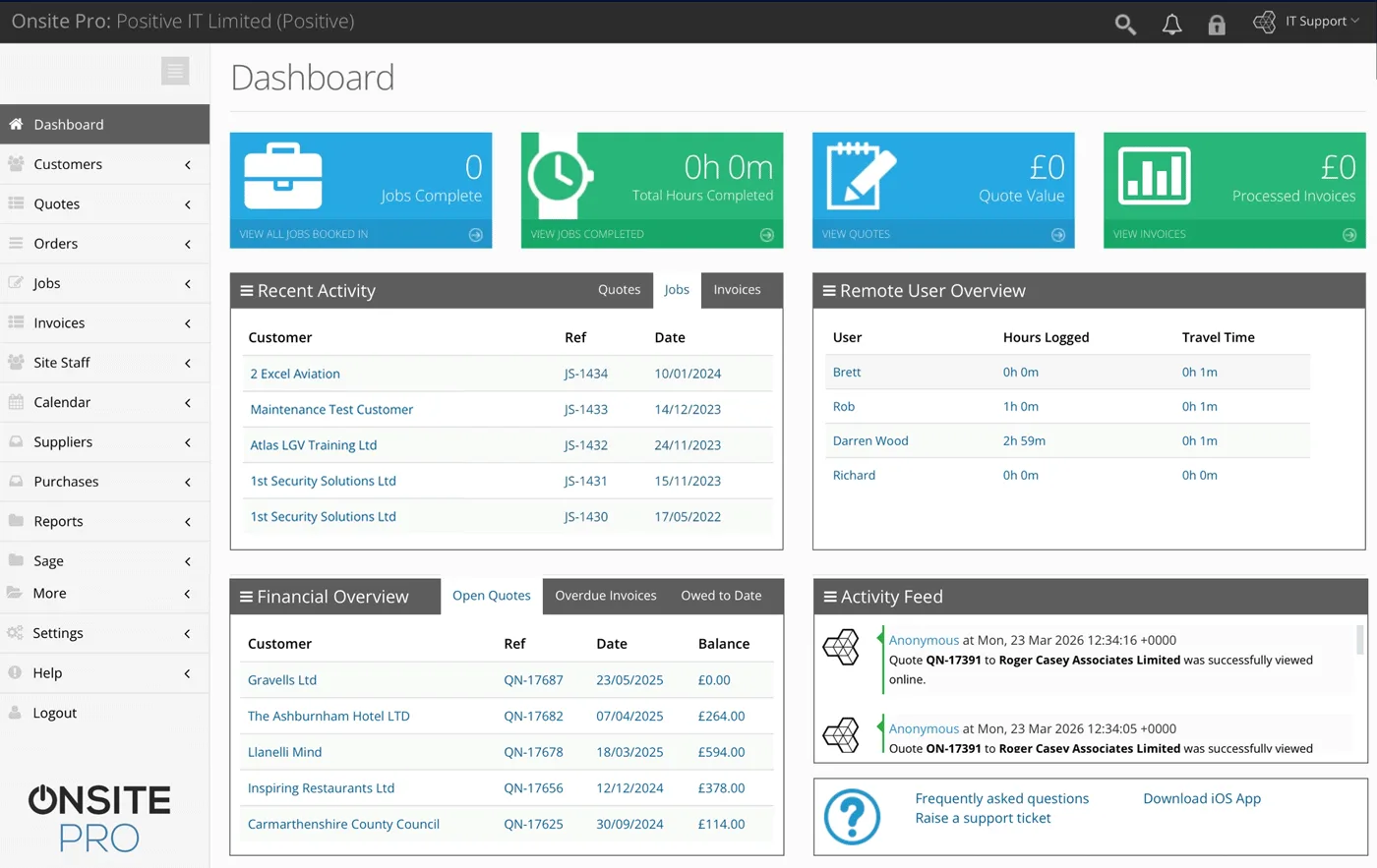
See every job, quote, invoice and team movement live. Catch bottlenecks before they cost you.
Improved cashflow
Invoice the moment a phase signs off. No admin delay, customers pay faster.
Onsite Pro on a working site: from enquiry to handover
- Site visit or client enquiry. Client wants an extension, renovation, kitchen install, or new build. Log the lead in 30 seconds with address, scope, and budget bracket.
- Survey and costed quote. Take site measurements and photos, then build a quote with labour, materials, and subcontractor allowances. E-sign on the spot. Coming soon: stage-payment quotes broken into milestones.
- Site team and subs dispatched. Foreman drag-and-drops the week's work across building team members and sub-contractors. Each gets their day on their phone.
- Live site updates. Materials delivered, photos of progress, time logs by trade. Office sees who's where, what's done, what's blocked, without ringing round.
- Variations and extras tracked separately. Mid-build client requests get logged as extra line items on the same job, with photos and notes – no scope-creep arguments later. Coming soon: variations as a separate, tracked feature.
- Stage-payment invoicing. Invoice on job completion, or split staged work across multiple jobs that share the same site. Final invoice closes off the work once the client signs handover. Coming soon: stage-payment milestone billing from a single quote.
Full system. Not a demo.
Sole builders, growing teams, multi-site building firms
Sole-trader builders
Look as professional as the bigger firms. One admin licence, one builder licence, branded quotes, signed-off job sheets and invoices that go out before you leave the customer’s driveway.
Growing teams (2 to 5 builders)
Builders see their diaries on their phones. Stop chasing job sheets every Friday night. Customers get faster quotes, faster work, faster invoices. Office gets a real picture of who’s where.
Building & construction firms (5 to 50)
Real-time GPS, skill-based scheduling, parts and stock across multiple vans, reporting that shows which builders are profitable and which jobs are over budget.
Common questions
Can my site teams use the app without signal?
Does it handle CDM or H&S documentation?
How does it work for a building firm?
Will it integrate with my accounts software?
How long is the free trial?
Is there a free job management app for builders I can try?
Can I customise the digital job sheet template?
Does it work across multiple sites running in parallel?
How does Onsite Pro handle quotes and invoices for builder work?
Is my customer and job data secure?
Where is the Onsite Pro team based?
Can I see a demo before signing up?
Can subcontractors log their hours via the app?
Does it handle stage-payment billing for big projects?
Can I track materials delivered to site versus materials used?
Try the live system for 14 days
The actual software our paying customers use. Every feature unlocked. No card required.
Or see pricing first.