
Job management & timesheet app for UK HVAC engineers
For UK HVAC engineers, AC installers and refrigeration teams. Send jobs to engineers’ phones, capture signed-off job sheets on-site, raise invoices the moment work is done. Built for trades since 2012.
- iOS & Android job sheet app with offline mode
- Push jobs to engineers, track who’s where in real time
- Signature capture, photos and F-Gas attachments
- Quotes, invoices, parts and stock in one place
- Read-receipts on quotes and invoices
- Customers sign off jobs from their phone
£75/admin · £20/engineer · monthly, no contract · 14 days on the live system, not a demo · no card · pay 10 months, get 12
Why UK HVAC engineers use Onsite Pro
Running a HVAC engineer business is mostly paperwork chasing. Job sheets in the van. Photos on engineers’ phones. Hours scribbled on the back of a quote. Then an evening re-keying it all so you can invoice on Friday.
Onsite Pro replaces that with a mobile job sheet app your HVAC engineers use on-site. Photos, time logged, customer signature, parts used – all attached to the job in real time. The office sees every update live. Invoices go out the moment work signs off, not days later. Not convinced yet? There’s a longer read on the case for digital job sheets.
Built since 2012, from Lichfield, by people who actually understand UK trade business. Same founder, same UK team, since day one. We also run job management for plumbers and facilities teams – useful if your firm covers HVAC, plumbing and facilities maintenance contracts. Job Management Made Simple.
We run 4 vans across the West Midlands. Before this it was a WhatsApp group and a clipboard. Now I know who's where, what they've fitted, and the invoice goes out the same afternoon. Customers pay quicker too.
Everything Onsite Pro does for you
Quote and invoice
Send quotes for AC installs, system services, F-Gas checks. Invoice the moment work signs off.
Manage engineers
Push jobs to your HVAC engineers’ phones. Live GPS tracking. Dispatch installers and service techs separately.
Mobile timesheets
Engineers log hours, parts and refrigerant on-site. Office sees every update in real time.
Signature capture
Customers sign off on the engineer’s phone. Geo-stamped and dated for audit trail.
Photos & notes
Attach plant-room photos, system schematics and equipment specs. Linked to the customer for life.
Stock & parts
Built-in stock control. Engineers log parts and refrigerant. Customers billed automatically.
Activity feed
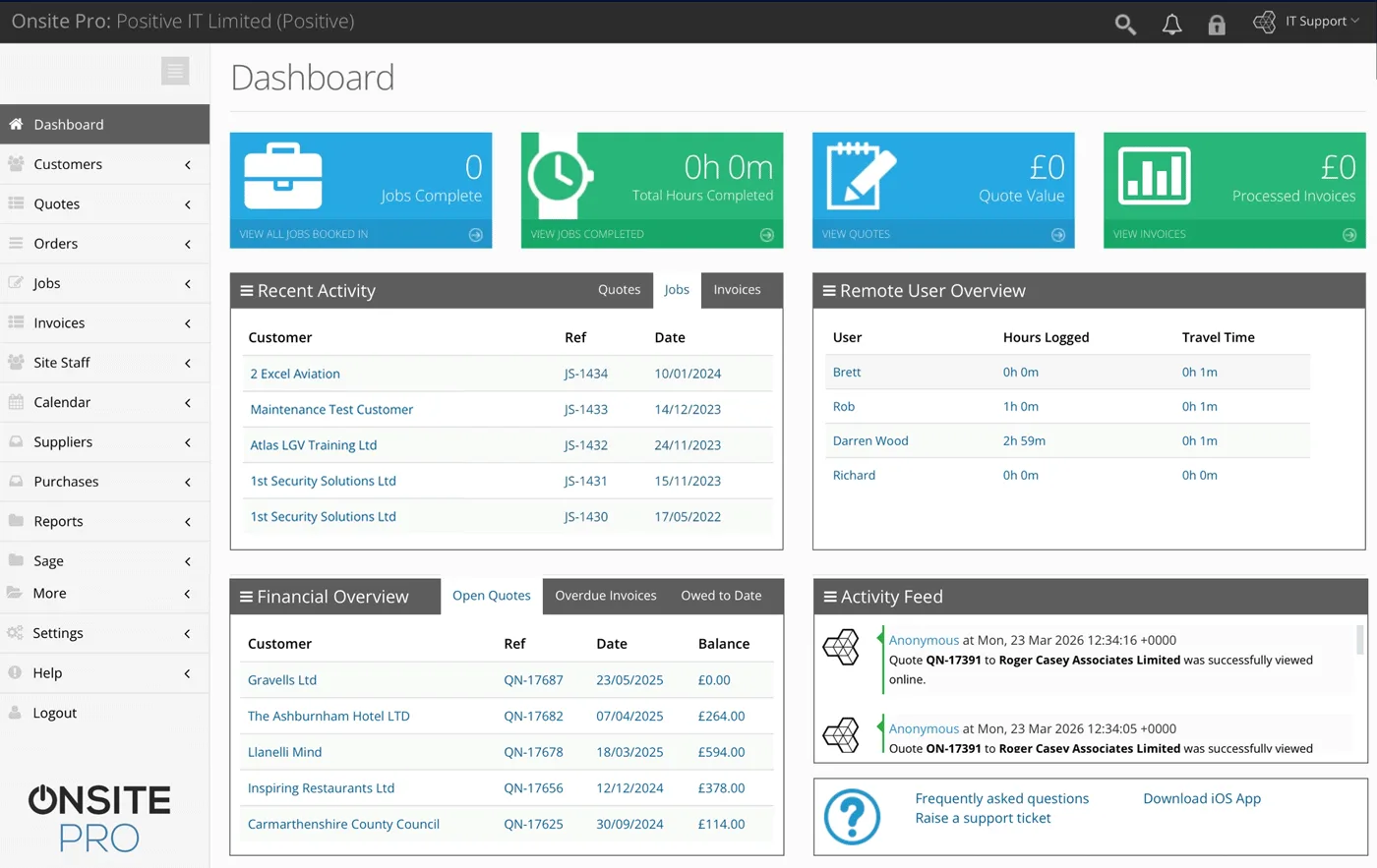
See every job, quote, invoice and engineer movement live. Catch bottlenecks before they cost you.
Improved cashflow
Invoice the moment work signs off. No admin delay, customers pay faster.
How HVAC engineers run a service day on Onsite Pro
- Callout or PPM visit triggers. Reactive call from a customer, or a scheduled PPM visit added to the diary at the agreed cadence (coming soon: maintenance contracts that auto-recur).
- Quote (reactive) or visit notes (PPM). Reactive jobs get a parts and labour quote with e-sign. Scheduled PPM visits use the contract's standing rate.
- Engineer dispatched by certification. F-Gas, refrigeration, gas-trained – skill tags help match the right engineer. Office drags the job onto the day and it lands on their phone.
- On-site, plant history on screen. Past service records, plant readings, refrigerant logs – everything from previous visits at that site sits one tap away.
- Service readings, parts, photos, signature. Temperature and pressure readings captured as job notes, parts fitted, filter swaps, refrigerant top-ups logged in the notes, before-and-after pictures attached.
- Auto-invoice (reactive) or contract billing (PPM). Reactive turns straight into a chargeable invoice. PPM visits sign off the same way and you raise the monthly contract invoice from the dashboard.
Full system. Not a demo.
Sole HVAC engineers, growing teams, multi-site HVAC contractors
Sole-trader HVAC engineers
Look as professional as the bigger firms. One admin licence, one engineer licence, branded quotes, signed-off job sheets and invoices that go out before you leave the customer’s driveway.
Growing teams (2 to 5 HVAC engineers)
HVAC engineers see their diaries on their phones. Stop chasing job sheets every Friday night. Customers get faster quotes, faster work, faster invoices. Office gets a real picture of who’s where.
HVAC & refrigeration contractors (5 to 50)
Real-time GPS, skill-based scheduling, parts and stock across multiple vans, reporting that shows which HVAC engineers are profitable and which jobs are over budget.
Common questions
Can my engineers use the app on rooftops or plant rooms without signal?
Does it handle F-Gas and refrigerant logging?
How does it work for an HVAC team?
Will it integrate with my accounts software?
How long is the free trial?
Is there a free job management app for HVAC engineers I can try?
Can I customise the digital job sheet template?
Does it work for callouts and planned maintenance separately?
How does Onsite Pro handle quotes and invoices for HVAC engineer work?
Is my customer and job data secure?
Where is the Onsite Pro team based?
Can I see a demo before signing up?
Can engineers record temperature, pressure or refrigerant readings against a job?
Does it support different rates for commercial AC versus domestic boilers?
Can I track refrigerant top-up amounts on the job sheet?
Try the live system for 14 days
The actual software our paying customers use. Every feature unlocked. No card required.
Or see pricing first.